
 ChatGPT
 Claude
 Perplexity
 Gemini
A poorly built site won’t just look bad — it’ll cost you customers.
In Sydney’s $42 billion ecommerce market, where mobile shopping drives 45% of online sales, design isn’t optional. It’s what turns casual browsers into paying customers.
If your current store is underperforming, this guide can help you change that. You’ll find practical strategies to improve performance, build trust, and grow your business — all tailored for Sydney’s ecommerce landscape.
What’s inside:
- Core design principles – Mobile-first strategies that convert browsers into buyers
- Trust-building tactics – How to connect with local Sydney shoppers and build credibility
- Technical optimisation – Speed improvements and SEO tips that boost rankings
- Local compliance – Sydney-specific legal requirements and best practices
- Practical tools – Recommended platforms and resources for getting started
- Real success stories – Case studies from actual Sydney businesses
Let’s get into the design choices, tools and tactics that make the biggest difference for Sydney-based businesses competing in a fast-moving market.
Why Does Ecommerce Design Matter for Sydney Businesses?
A study by Adobe shows that 38% of users will leave a site if the layout is unattractive. That’s nearly four out of ten potential customers gone before you even make a pitch.
With over 180,000 online businesses in NSW, competition is high — and Sydney shoppers are quick to judge. Around 70% of Australians abandon carts due to slow load times or clunky design. And with 78% browsing on mobile, often during peak commuter hours, a poor experience is all it takes to lose the sale.
But it works the other way too. Mobile-optimised stores see up to 40% higher conversion rates. The better the experience, the better the numbers.
What Are the Core Principles of Ecommerce Website Design?
Strong ecommerce design comes down to a few key things: making sure your site works on mobile, helping users find what they need quickly, and making the checkout process as smooth as possible. These are the areas that most often affect whether someone buys — or leaves.
1. Prioritise Mobile-First Design
Around 65% of Australian transactions now happen on mobile, and Google ranks your site based on how well it performs on smaller screens. Mobile design affects both visibility and sales, especially for shoppers who browse on the go.
A mobile-optimised store can increase conversions by as much as 40 to 60%. It’s one of the simplest ways to make an immediate impact.
Get the basics right:
- Use responsive grids that adapt to different screen sizes
- Make buttons large enough to tap easily (at least 48px)
- Run your site through Google’s Mobile-Friendly Test to catch any issues
If your site loads slowly or feels clunky on a phone, users are likely to drop off before they even reach the product page.
2. Make Navigation Simple and Clear
If people can’t find what they’re looking for quickly, they’ll leave — even if your product is great. In fact, 49% of shoppers prefer using a search bar over browsing through menus.
A clear structure helps guide users through the site without confusion. Stick to the two-click rule: key pages like product listings or checkout should be accessible in two clicks or less. Use a familiar menu layout (Home, Shop, Categories, About, Contact) and make sure the search bar is easy to find.
Simple navigation keeps users engaged and makes it easier for them to take the next step.
3. Streamline the Checkout Process
A complicated checkout is one of the fastest ways to lose a sale. More than half of Australian shoppers want the option to check out as a guest, without having to create an account.
Keep the form simple. Just ask for the essentials: name, email, address and payment. Make sure to offer local payment options like Afterpay and BPAY, which are widely used in Australia.
Show the full cost upfront and include a progress indicator so customers know how many steps are left. A smooth, transparent checkout can reduce cart abandonment by up to 35%.
How Do I Build Trust with Sydney Shoppers?
Trust is everything in ecommerce. Sydney shoppers won’t buy if they don’t feel safe. Luckily, there are proven ways to show you’re legit, especially by meeting local expectations and legal standards.
1. Meet Australian Compliance Requirements
Under Australian Consumer Law, your site must display specific info to build trust. This isn’t just good practice—it’s the law. Here’s what you need:
- Show your ABN or ACN clearly in the footer.
- Use HTTPS for secure browsing (SSL certificates are a must).
- Display GST-inclusive pricing to avoid confusion.
You also need a privacy policy that complies with the Privacy Act 1988. Link to it in your footer, and make terms and conditions easy to find. Not sure where to start? Check the Australian Government’s business website for free templates and guidelines.
2. Use Local Signals That Build Confidence
Sydney customers want to know you’re local and reliable. Even if you’re online-only, adding a physical address or local phone number can build credibility. Customer reviews are especially powerful — 88% of consumers trust online reviews as much as personal recommendations.
Payment security badges also help. Logos for Visa, PayPal or “Secured by SSL” signal that your site is safe to shop on. Small visual cues like these can increase conversions by as much as 15%.
What Technical Optimisations Are Key for Australian Ecommerce Sites?
Now, let’s get into the nerdy stuff. Technical performance can skyrocket (or sink) your site. Here’s how to ensure your ecommerce store runs smoothly for Sydney users.
1. Improve Page Load Speed
In Sydney, users expect a site to load in under 3 seconds. If it doesn’t, 40% will leave, according to Google. Slow sites also hurt your SEO rankings.
Here’s what to do:
- Compress images using tools like TinyPNG.
- Use a local Content Delivery Network (CDN) like Cloudflare to speed up load times for Aussie users.
- Minimise heavy plugins or scripts.
Test your speed on Google PageSpeed Insights and aim for a score above 90. Trust me, every second counts.
2. Choose the Right Ecommerce Platform
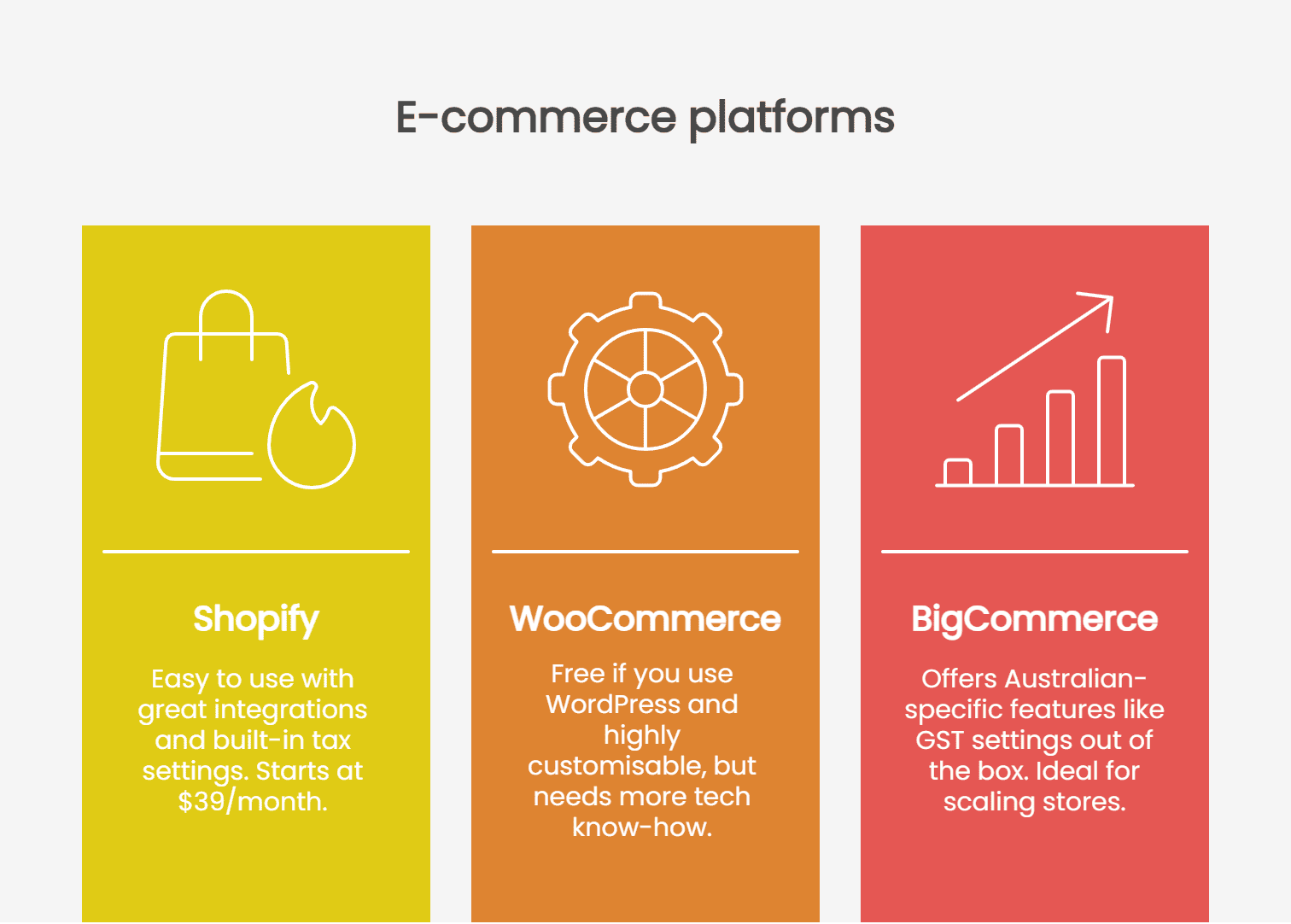
Picking the right platform is critical. Let’s compare three popular options for Australian businesses:
- Shopify (35% market share): Easy to use, great integrations, built-in tax settings for Australia. Starts at $39/month.
- WooCommerce (28% market share): Free if you use WordPress, highly customisable, but needs more tech know-how.
- BigCommerce: Offers Australian-specific features like GST settings out of the box. Ideal for scaling stores.
I’ve worked with clients on all three, and the best choice depends on your budget and skills. Need something plug-and-play? Go Shopify. Want full control? Try WooCommerce.
3. Optimise for Local SEO
Ranking for local searches like “ecommerce design Sydney” can drive targeted traffic. Start with the basics: add your business to Google My Business and include “Sydney” in your page titles and meta descriptions.
Use schema markup to tell Google you’re a local business. This can boost your chances of appearing in rich snippets. Also, target long-tail keywords—think “best online store design in Sydney.” Tools like Ubersuggest can help you find what locals are searching for.
What Sydney-Specific Strategies Should I Use?
Selling in Sydney means thinking local. That includes how your site handles legal compliance, search visibility and payment preferences.
The next few steps cover how to tailor your ecommerce site for Sydney’s market. Do it clearly, locally and with your customers in mind.
1. Meet Local Legal Requirements
Compliance isn’t optional. Besides displaying your ABN and GST pricing, ensure your site has a clear refund policy under Australian Consumer Law. You must also follow the Privacy Act 1988 by explaining how you handle customer data.
Need a quick win? Add a compliance footer with links to your privacy policy and terms. Not only does this keep you legal, but it also builds trust. Still unsure? The Australian Competition & Consumer Commission has detailed guides for online businesses.
2. Target Sydney-Specific SEO Opportunities
Target Sydney-specific keywords like “Sydney online store” or “ecommerce for Sydney small business.” List your site on local directories like TrueLocal or Yellow Pages. And don’t skip customer reviews—mentioning Sydney in testimonials can improve local relevance.
Here’s a tip: Create content around local events or trends. For example, a blog post on “Top Sydney Holiday Shopping Trends” can attract local traffic. I’ve seen this strategy lift organic visits by 20% for clients.
3. Offer Payment Options Sydney Shoppers Use
Sydney customers love flexible payment options. Here are my top picks:
- Stripe Australia: Low fees (1.75% + 30c per transaction), easy integration.
- PayPal: Trusted by 80% of Aussie shoppers, though fees are higher (2.6% + 30c).
- Afterpay: Huge in Australia, lets customers pay in instalments. No fees for you if set up right.
Integrate at least two options to cater to different preferences. It’s a small step that can boost conversions significantly.
What Tools and Resources Can Sydney Businesses Use?
Let’s talk tools. You don’t need a huge budget to create a stunning ecommerce site. Here are some of my go-to recommendations for Sydney entrepreneurs.
1. Budget-Friendly Design Tools to Get Started
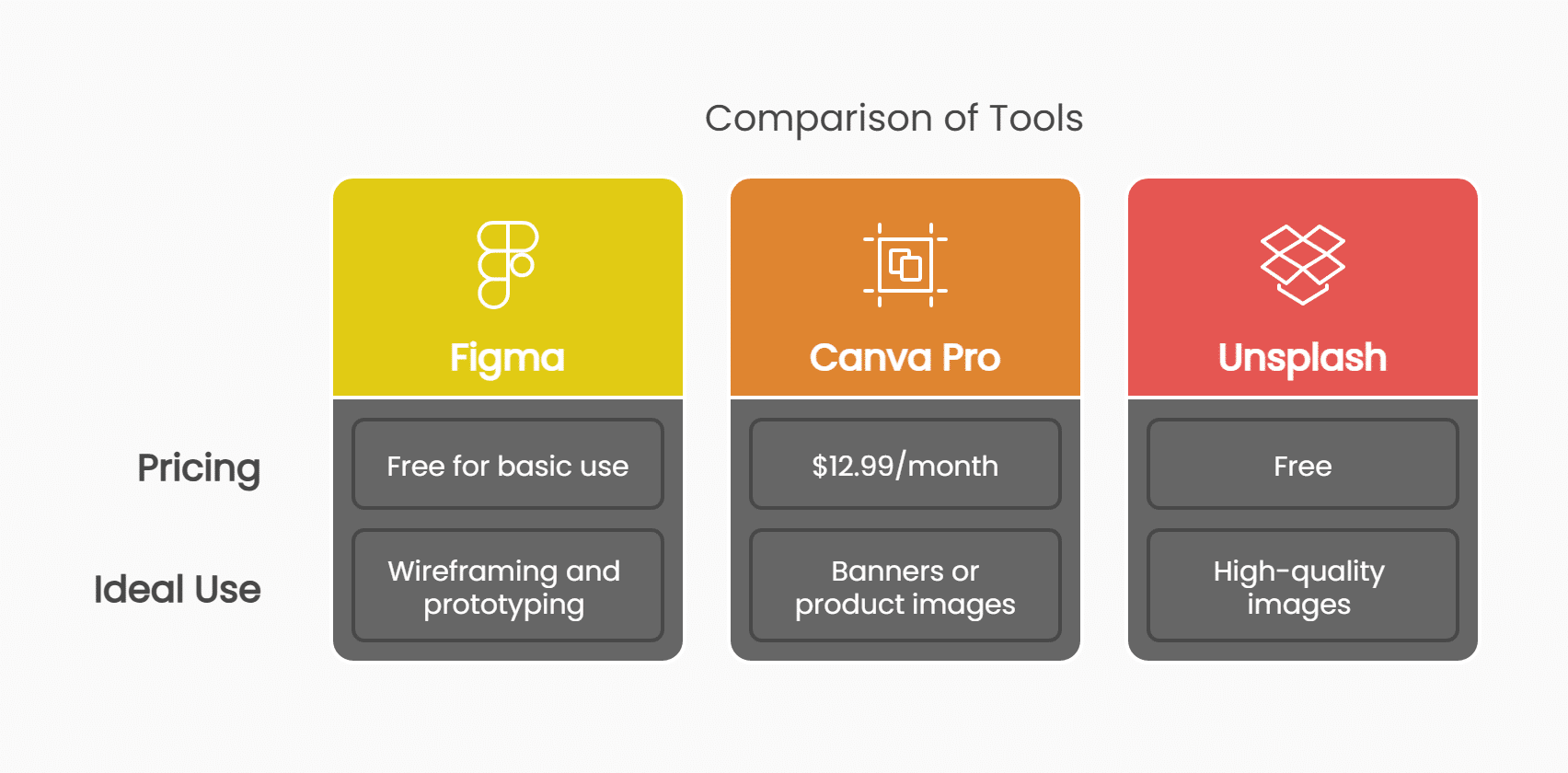
You don’t need to hire a pricey designer to get started. Try these:
- Figma: Free for basic use, perfect for wireframing and prototyping.
- Canva Pro: $12.99/month, great for creating banners or product images.
- Unsplash: Free high-quality images to make your site pop.
I’ve used these tools to help clients create professional-looking sites without breaking the bank.
2. Local Resources for Expert Help and Advice
Need extra help? Sydney has a thriving freelance and agency scene. Platforms like Airtasker can connect you with local web designers starting at $50/hour, or you can work with specialised sydney web design agencies that understand both e-commerce best practices and local market requirements.
Also, join local business groups like the Sydney Business Chamber for networking and advice. I’ve found that connecting with other entrepreneurs can spark ideas and solutions you’d never think of alone.
How Do I Measure Success and Plan Next Steps?
You’ve built your site—now what? Tracking the right metrics and planning ahead ensures your e-commerce store keeps growing.
1. Track the Metrics That Matter
Focus on these key numbers:
- Conversion rate: Australian average is 2.1%. Aim higher with design tweaks.
- Cart abandonment: Target below 65% by streamlining checkout.
- Load time: Keep it under 3 seconds for Sydney standards.
Use Google Analytics 4 to track enhanced ecommerce data. Segment by Sydney traffic to see how local users behave. I’ve helped businesses spot weak spots—like high bounce rates on mobile—using these tools.
2. Follow a Clear Improvement Plan
Start small, then scale. Here’s a quick roadmap:
- Immediate: Audit your site for mobile issues using Google’s tools.
- Short-term: Optimise checkout flow for local payment options.
- Long-term: Invest in AI personalisation to recommend products based on user behaviour.
Stick to this plan, and you’ll see steady improvement. I’ve watched clients go from 1% to 3% conversion rates in months by following these steps.
Real-World Example: Aje’s Mobile-Focused Shopify Rollout
Aje, a premium Australian fashion label with both online and brick-and-mortar stores, relaunched on Shopify Plus and prioritised mobile optimisation to better reflect its brand experience for local and international customers. The results speak for themselves:
- Conversion rate increased by 135% in just a few weeks
- Bounce rates dropped, and average session duration rose
So how did they do it?
- Ensured mobile-first design, especially for high-touchpoint pages
- Streamlined checkout and optimized mobile payment flows
- Improved clarity and speed to match their in-store experience
This aligns directly with our guide’s principles—from mobile optimisation to reduced friction at checkout. Aje’s results show that these strategies work at scale, even for established Australian retail brands.
Practical Tip: Run a Quick Mobile Audit
Before making major design updates, it’s worth checking how your site performs on mobile devices. Tools like PageSpeed Insights can highlight issues with layout, loading speed and usability.
Addressing these problems early can make a noticeable difference. In many cases, even small fixes have helped businesses reduce bounce rates and improve the mobile experience.
Build a Site That Works for Sydney
Design choices don’t just shape how your site looks — they influence how people find you, trust you and decide to buy. For Sydney businesses, that means focusing on mobile performance, simple navigation, fast checkout, and clear local signals.
These aren’t big-budget fixes. They’re practical updates that can make a real difference.
If your site isn’t quite where it should be, we can help. Spark works with Australian businesses to build digital platforms that are not only compliant and conversion-ready but also tailored to your audience from the start.