Even without any experience in web development, you can create a website with a sleek, professional design – provided you use the right tools. Two of the most powerful, user-friendly options available are the website builders Wix and WordPress. They both offer hundreds of premade templates and countless options for easy customisation. However, they also come at a cost. In order to access all of their features, you’ll need to purchase a premium account.
So, before you get your wallet out, let’s have a look at the benefits of each to see which one is worth your investment. Here’s a rundown of the major differences between these platforms: if you’re weighing “Wix vs WordPress,” consider factors like ease of use, customization capabilities, pricing models, and scalability to determine which platform better suits your needs.
Ease of use
With scaled-back options and a user-friendly interface, Wix comes out on top as the best option for amateurs. Whilst WordPress offers tens of thousands of unique plugins to play with — which can enhance your eCommerce website design — it does not hold your hand through the process. This makes it somewhat overwhelming to use when starting from scratch.
Consequently, Wix has an easier learning curve than WordPress. It’s faster and more intuitive to get a page up and running. That said, if you want to explore more interesting layouts and dynamic elements for your site or an advanced website design, WordPress has much more to offer.
Wix
- Easy website builder
- Visual drag-and-drop editor
- Easy to use, but less flexible
WordPress
- Great CMS (Content Management System)
- Limited page previewing
- Flexible, but more complicated
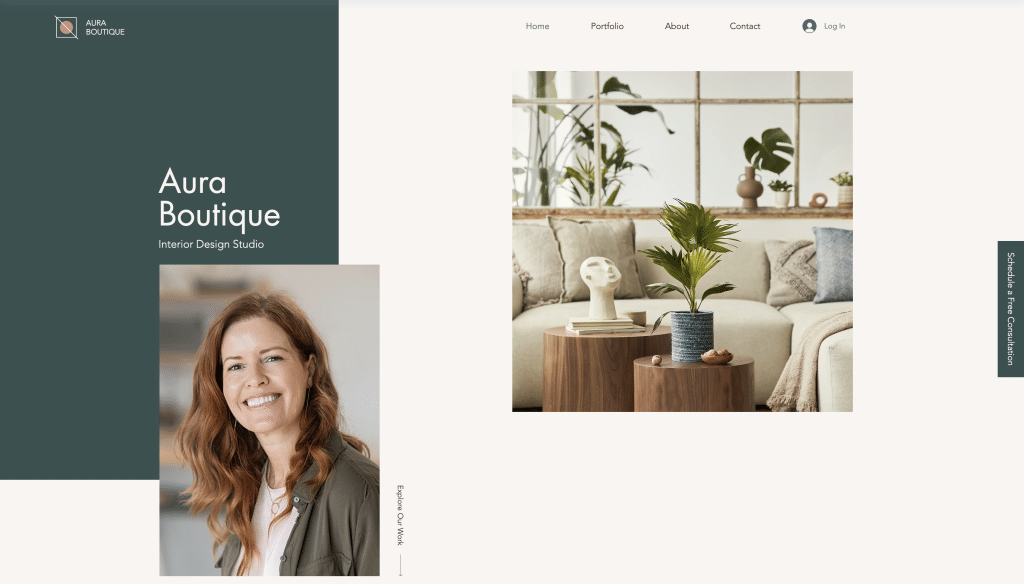
Wix gives you artistically designed templates, right out of the box.
Features
If you want a minimalistic website without animations or complex layouts, then Wix will work fine for you. However, if you don’t want to stick to the templates, WordPress can offer virtually anything that you have in mind.
Wix
- Closed-source
- 100s of plugins and themes
- Best for conventional use (simple design and animation)
WordPress
- Open source
- 55,000+ plugins and 12,000+ themes
- Best for complex, personalised designs
Search Engine Optimisation (SEO)
Both Wix and Wordpress ensure that your site is crawlable and indexable, the two most important things search engines look for. However, most SEO experts believe that WordPress has better optimisation tools than Wix. By providing more advanced options, WordPress lets you dive much deeper into how your website is designed for SEO.
Wix
- Contains just the essential SEO features needed to rank a website
WordPress
- Contains advanced SEO features
- Has the capability to control and optimise every part of your website
Security
Due to its open-source nature, WordPress is generally considered less secure than Wix. Even so, you are still able to create a secure website in WordPress – it just takes a little more effort. Also, if you plan on outsourcing the building of your site on either platform, we still recommend hiring a well-trusted web developer to protect your privacy.
Wix
- Highly secure
- Tight controls over third-party apps
- Third-party developers follow strict security guidelines
WordPress
- Less strict screening process for third-party apps
- Poorly coded plugins can cause issues
- Admin/editor is responsible for updating security and performance
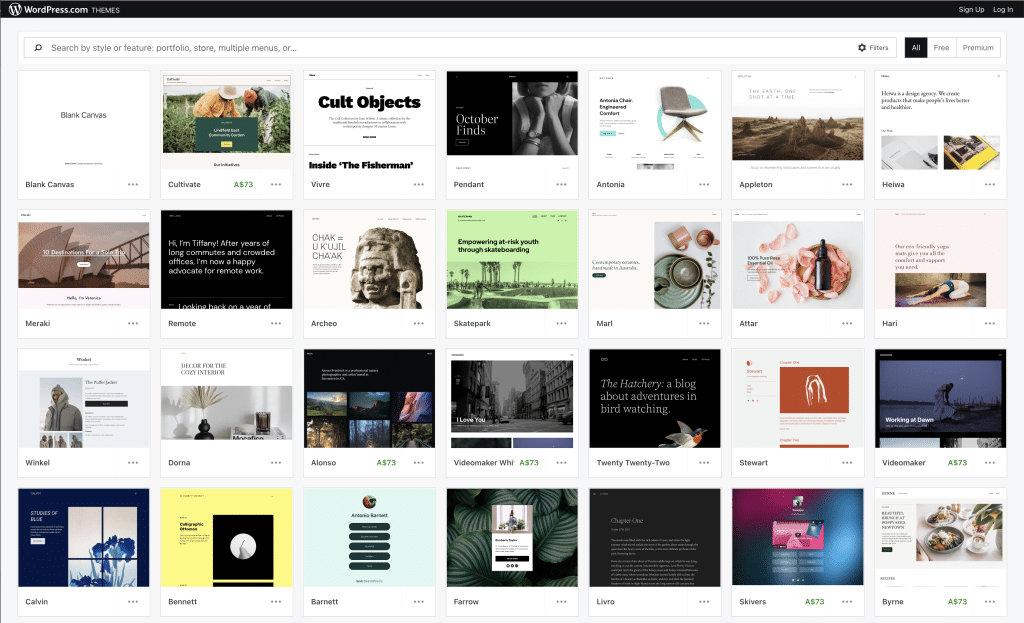
WordPress lets you browse from countless themes to use as your site’s building blocks.
Customer Support
While both platforms provide 24/7 support services for paying customers, Wix has the stronger troubleshooting options. WordPress’s expansive library of third-party plugins is a bit of a double-edge sword here, as they can’t monitor and control everything on their platform. Meanwhile, Wix’s close oversight allows them to have an answer to almost any issue you might experience.
Wix
- 24/7 customer support line
- Live chat
- Email enquiries
- VIP support (first priority)
WordPress
- Community forums
- 24-hours, Mon-Fri priority live chat
- Support documentation
- Some paid plug-ins have their own customer support
Pricing
Both Wix and WordPress have a range of tiered subscription plans. When looking at prices, keep in mind that certain plugins, templates, and hosting services can have additional associated costs.
For example, BlueHost, a recommended WordPress hosting service, will cost you another $4-8 per month. Or consider WooCommerce, a premium eCommerce WordPress plugin, that can cost you up to $299, depending on your usage. Both of these may be essential for your website to function the way you need it to.
Wix
- VIP (first priority support) - US$24.50/month
- Unlimited (entrepreneur and freelancers) - US$12.50/month
- Combo (for personal use) - US$8.50/month
- Connect Domain (most basic) US$4.50/month
- Business VIP (get the full suite) - US$35/month
- Business Unlimited (grow your business) - US$25/month
- Business Basic (accept online payments) - US$17/month
WordPress
- Personal (best for personal use) - USD $7/month
- Premium (best for freelancers) - USD $14/month
- Business (best for small businesses) - USD $30/month
- eCommerce (best for online stores) - USD $54/month
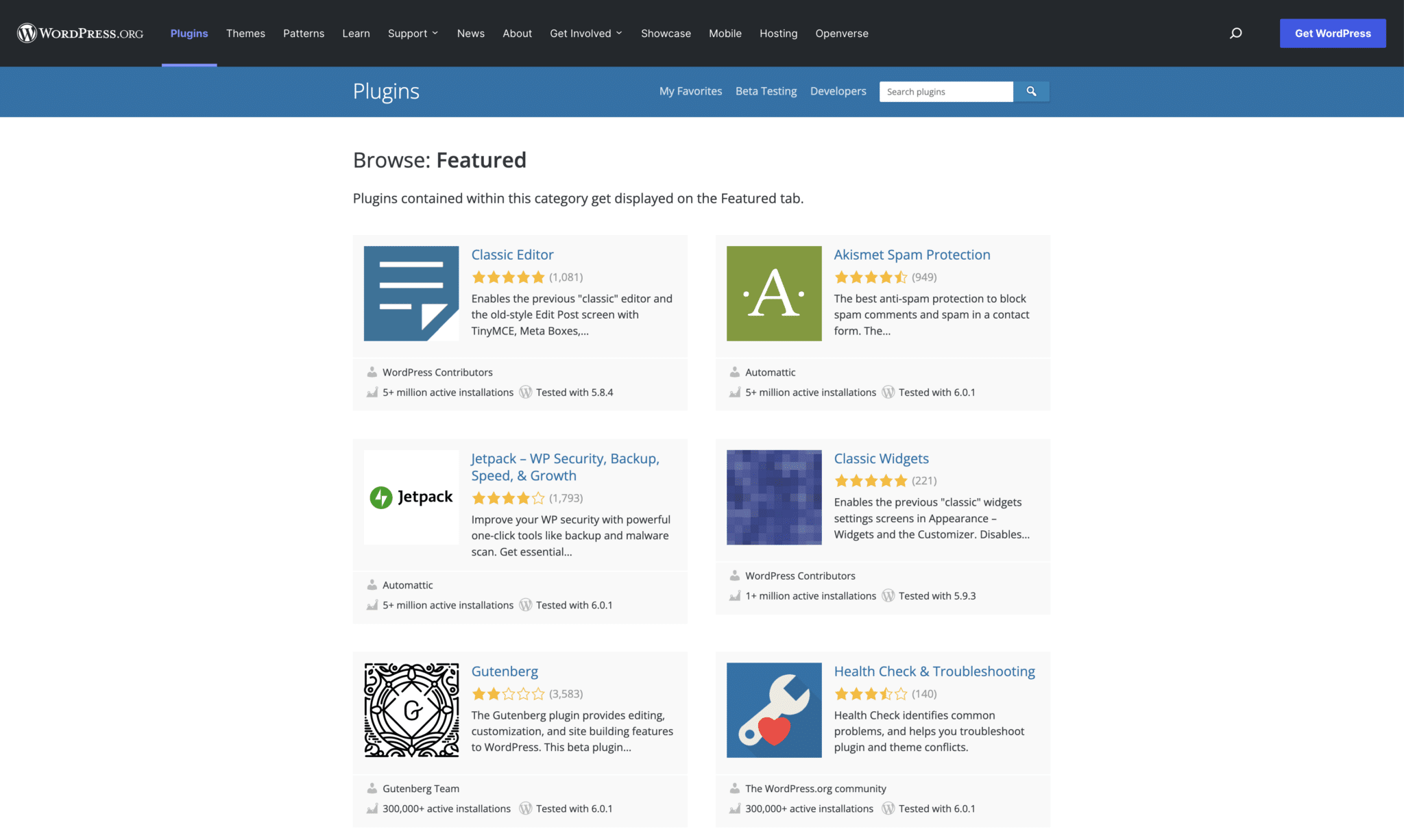
WordPress lets you explore a number of free and paid plugins
Choose what works for you
If you’re still unsure which one to use, both Wix and WordPress offer free plans that you can try. Testing out both before making any purchases is a good idea since each has its own strengths. Ultimately, choose the platform that feels most comfortable and aligns with your personal goals.
Building your website is just the start. You’ll use these platforms over time to keep your site running smoothly.
If you’re aiming to boost your online presence, working with a web design Sydney agency expert can provide you with customised solutions and valuable insights.
Don’t hesitate to seek professional advice if needed, and feel free to experiment to find what works best for you!